 Troop Campfire
Campfire tracks what each family owes or has credit for — campout fees, dues, fundraiser credits — so nobody has to keep a spreadsheet or chase people in the parking lot. This article covers what families see, how to request a reimbursement, and what treasurers can do.
Check your family balance
- Open troopcampfire.app or the Campfire mobile app.
- Tap your profile picture, then Family Finances.
- Your current balance appears at the top, with every charge and credit listed underneath in Transaction History.
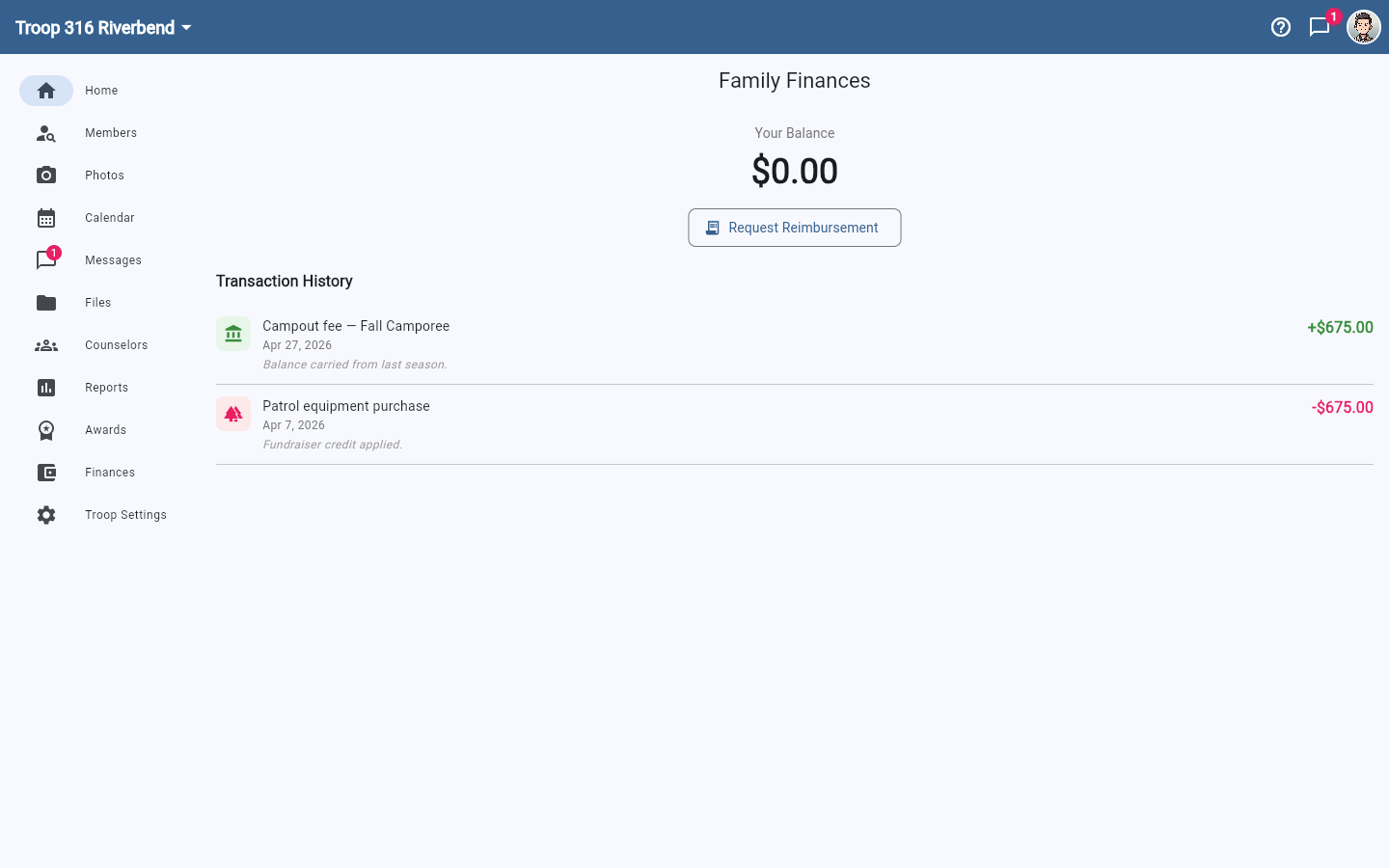
A red balance with a minus sign means your family owes the troop; green means you have credit. Because every line carries a description and date, most "what is this charge?" questions answer themselves without an email to the treasurer.
Request a reimbursement
If you paid for something on the troop's behalf, tap Request Reimbursement on Family Finances, describe the expense, enter the amount, and attach a photo of the receipt. The request goes to your treasurer to review, so you don't need to catch them in person. Reimbursements credit your family account, so you need to be in a family. If you aren't, that page says so — ask a leader to add you to your household, or if you manage finances, record it as an expense instead.
What treasurers can do
- See balances for every family in the unit, not just their own
- Record charges and credits against a family's account
- Review and approve incoming reimbursement requests
- Configure how money works for the unit under Account Settings → Organization → Finance Settings
Matching online payments to your bank deposits
When a family pays online, the money does not land in the unit's bank account the same day or as a single line per payment. Stripe pays out on a schedule (daily by default, about two business days after each payment), and each payout combines every payment from that day into one deposit, with the processing fee already taken out (see online payment fees). So three payments made on three days become two or three deposits, each a little smaller than the payments that fed it.
To tie the two together, open a payment on the family's register: an online payment shows the day it settled, the fee that was deducted, and its Stripe payment ID, and the row menu can copy that ID. The Transactions export includes the same three columns. The Stripe Express dashboard (reachable from Finance Settings) lists each payout with the payment IDs inside it, so a deposit on the bank statement matches a payout there, and each payment inside it matches a row in Campfire. The fee itself is also posted to the unit ledger as a bank-fee expense the day the payment settles, so cash on hand already reflects the net amount.
Finances is permission-based
Families see only their own balance. The Finances navigation entry only appears for people with permission to view unit finances — typically the Treasurer and Committee Chair — and Finance Settings requires organization-edit permission on top of that. If you should be able to see it and can't, ask a unit admin to check your role.