 Troop Campfire
Most units use the same handful of places over and over — the church hall, the district camp, the trailhead. Saving them once means you pick from a list when creating an event instead of retyping an address, and families get a working map link every time.
Add a location
- Tap Account Settings (top right) → Organization → Event Locations. On a wide screen, use Troop Settings in the left navigation.
- Tap Add Location.
- Give it a name people will recognise and enter the address.
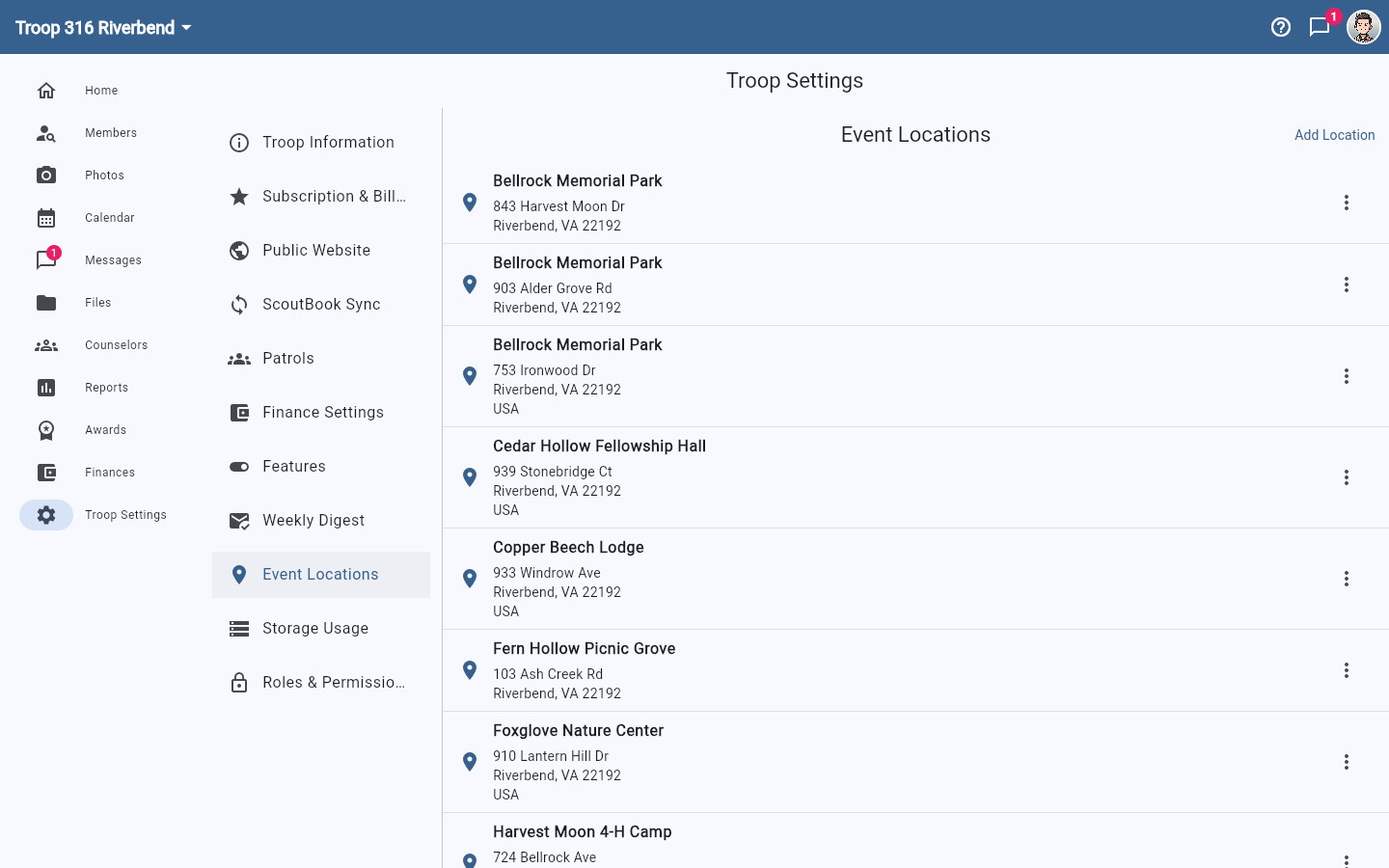
Use the 3-dot menu beside a location to Edit or Delete it. Editing a location does not rewrite events that already used it, so if your meeting place moves, update the location and check any upcoming events.
Give locations recognisable names
Members see the name before the address, so "Cedar Hollow Fellowship Hall" is far more useful than "Meeting Place 2". If you have several spots at the same site, put the distinguishing part in the name — families reading a reminder on their phone will not open the address to work out which one you meant.