 Troop Campfire
Direct messages in Campfire are private conversations between specific participants. Use them to follow up with a parent about a specific Scout, coordinate privately with a committee member, or answer a question without broadcasting to the whole troop.
How to send a direct message
- Open troopcampfire.app or the Campfire mobile app.
- Tap Messages in the navigation, or the chat icon in the top app bar, and stay on the Chats tab.
- Tap New Chat (bottom right) and choose New group chat.
- Pick the people. Two adults can message each other with nobody else in the chat. If a Scout is included, add at least two adults. Campfire will not create a chat that puts a Scout with only one adult.
- Type your message and send. The conversation stays on your Chats tab so you can return to it anytime.
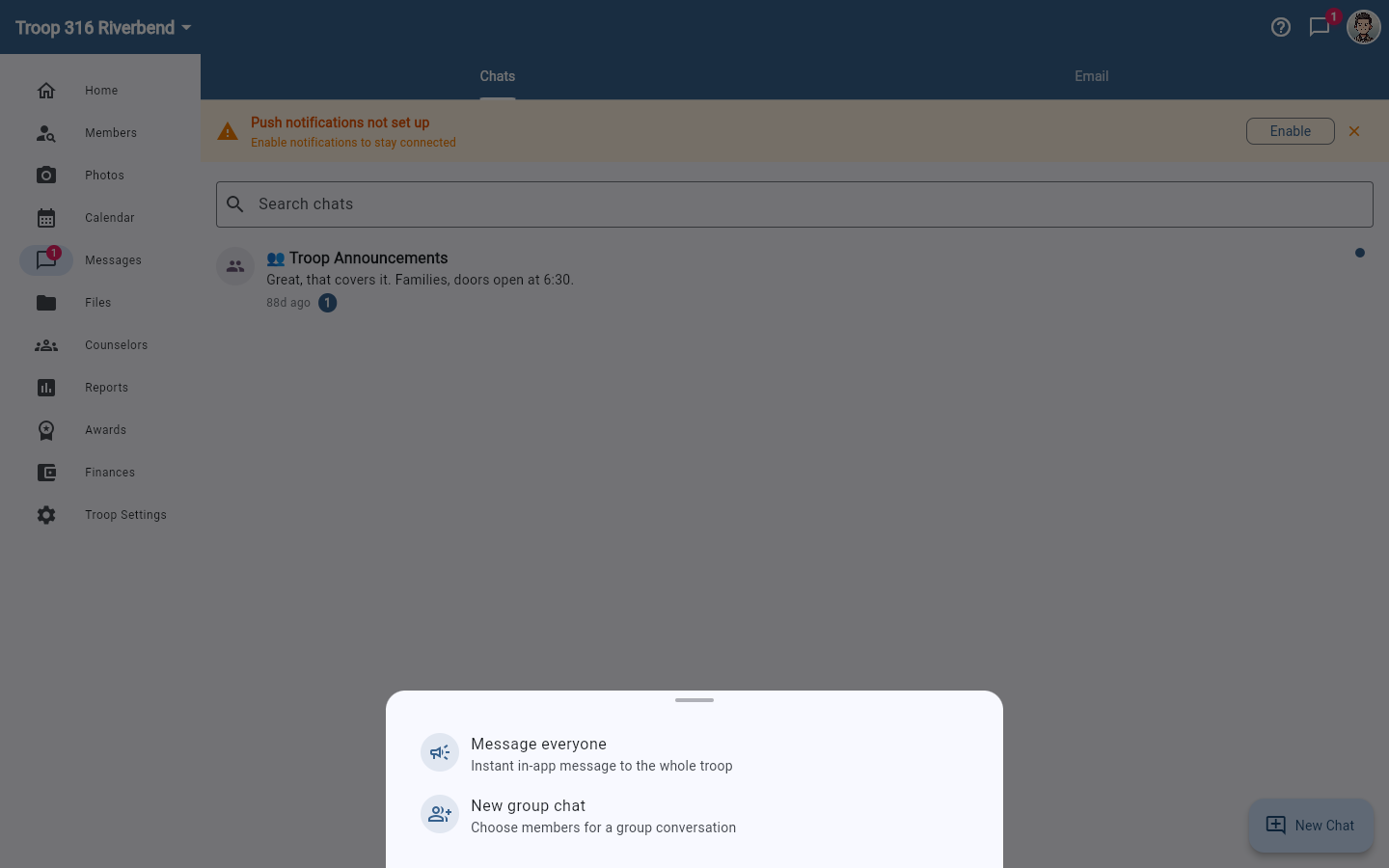
Use the search box above the chat list to find an existing conversation rather than starting a duplicate one. The Email tab beside Chats is for messages that go to families' inboxes instead — see Send an announcement to your troop.
Privacy
- Direct messages are private to the participants only
- A Scout cannot be in a chat with one adult, or with other Scouts and no second adult. Any chat that includes a Scout needs two adults, which is the Youth Protection rule. Campfire enforces it when the chat is created and when someone tries to leave.
- Troop leaders cannot read conversations between other members
- Both participants receive a push notification (if they have Message Notifications enabled in Account Settings → Notifications) when a new message arrives
Need to reach everyone?
For messages that should go to the whole troop or a group, use announcements instead. See Send an announcement to your troop.