 Troop Campfire
Campfire gives you two ways to reach the whole troop at once, and they behave differently. Message everyone posts an in-app chat that lands as a push notification. Email sends a real email to families' inboxes. Announcements that families must not miss — permission slips, cancellations, payment deadlines — are usually better as email.
Open Messages
Tap Messages in the navigation, or the chat icon in the top app bar. Either way you land on a page with two tabs: Chats and Email.
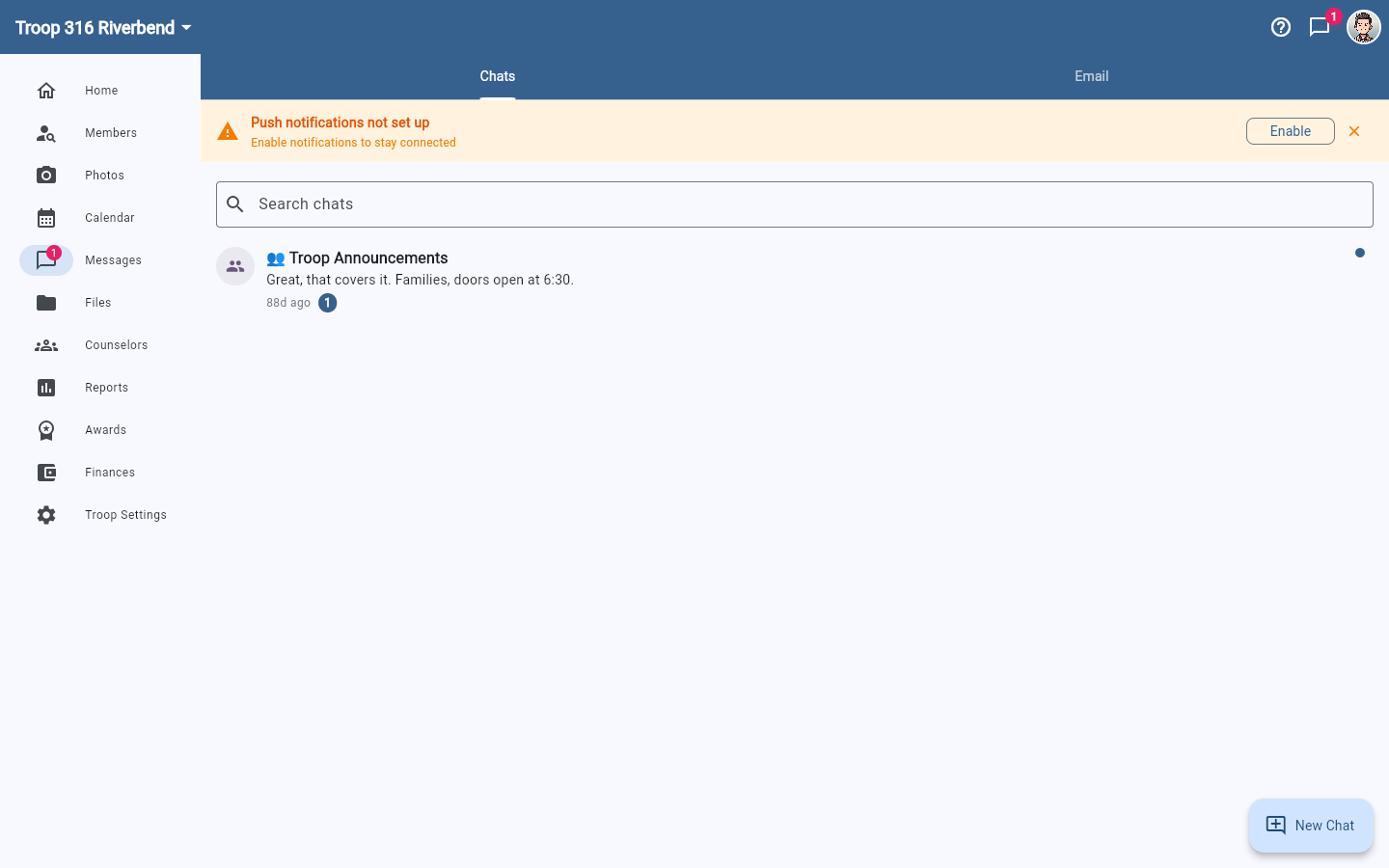
Message your whole troop in the app
- Open troopcampfire.app or the Campfire mobile app.
- Go to Messages and stay on the Chats tab.
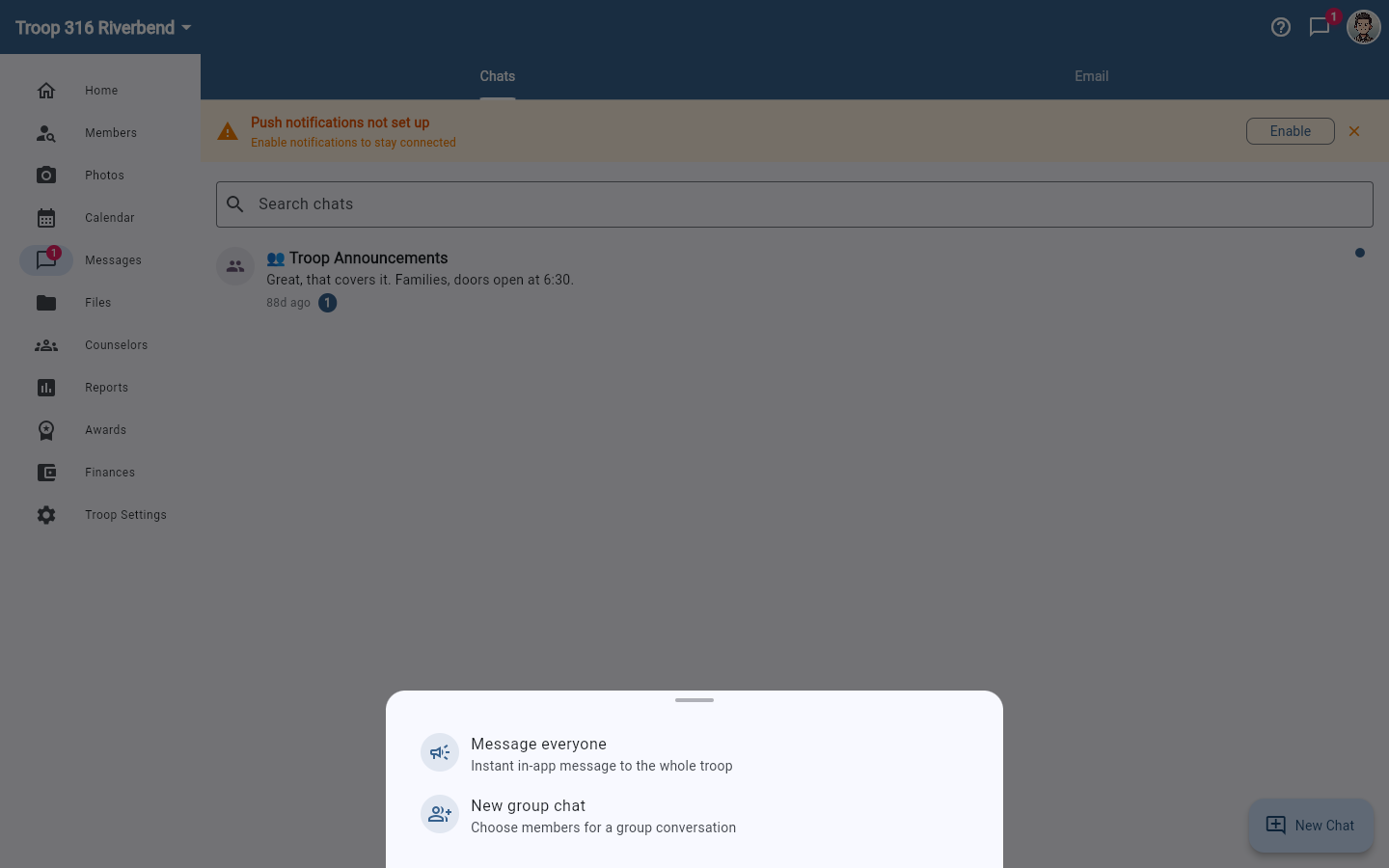
- Tap New Chat (bottom right).
- Choose Message everyone — described in the app as an instant in-app message to the whole troop.
- Write your message and send. Every active member receives it.
Email your whole troop
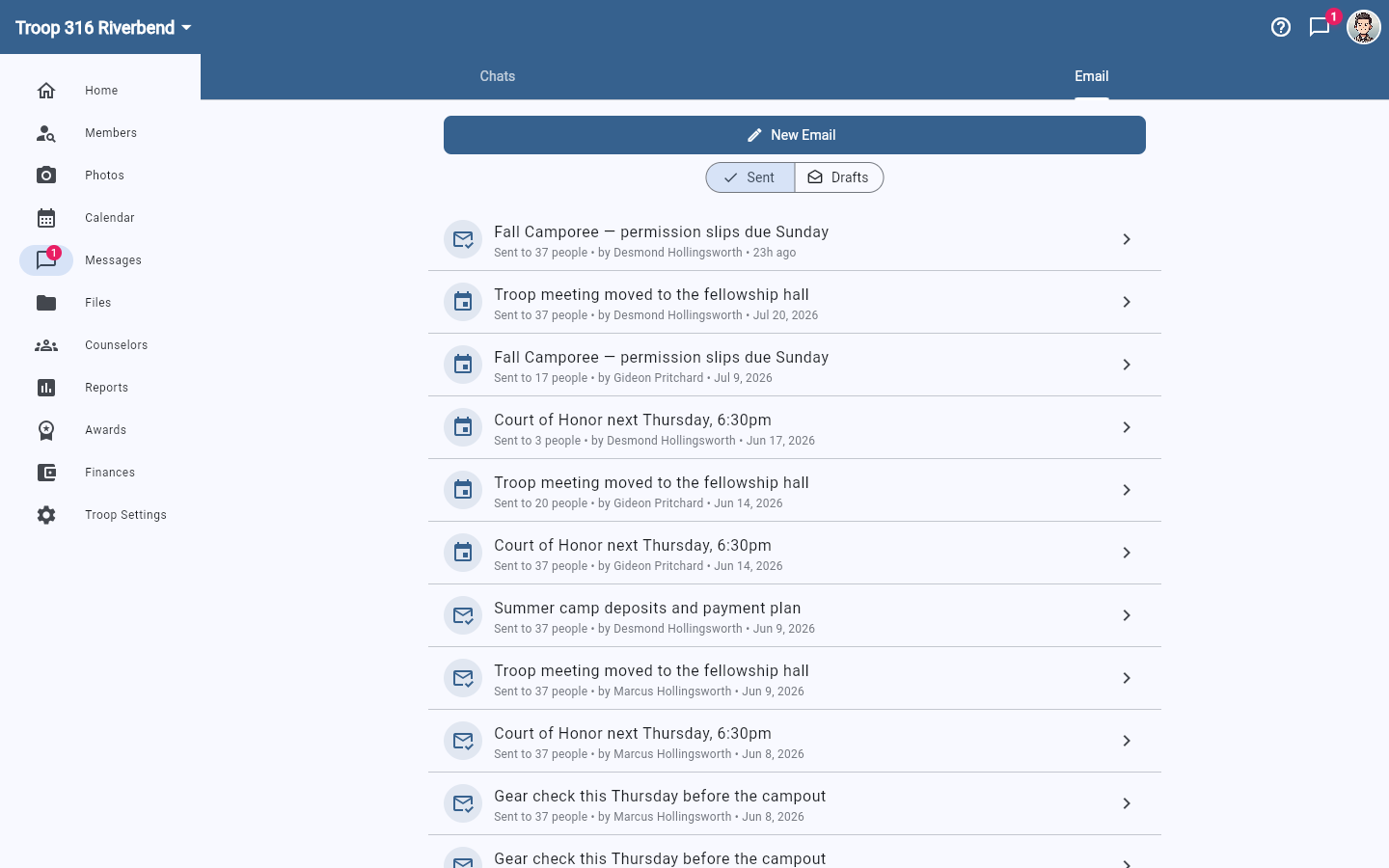
- Go to Messages and open the Email tab.
- Tap New Email.
- Pick your recipients, write a subject and body, and send.
The Email tab keeps a record of what your troop has sent. Sent lists past emails with the subject, how many people received it, who sent it, and when; Drafts holds anything you started but haven't sent. That history is shared across leaders, so you can check whether someone already emailed about the campout before you send a second one.
Messaging a smaller group
To reach a specific subset of your troop, tap New Chat and choose New group chat, then pick the recipients. All your conversations — group and one-on-one — live on the Chats tab.
How members receive messages
- Each member gets a push notification (if they have Message Notifications enabled in Account Settings → Notifications and the app installed)
- Visible in the Conversations page in-app for all recipients
Each member controls their own notification preferences. See Notification preferences for details on how that works.