 Troop Campfire
An award goes through three stages between being earned and being pinned on: someone has to notice it was earned, someone has to buy it, and someone has to hand it over at a ceremony. Campfire tracks all three, and builds the ceremony paperwork for you.
Cub Scout packs use Pack Awards
Awards Management is not available to a Cub Scout pack. Track adventures on each Scout's Adventures screen. To see what is ready to hand out, open More and tap Pack Awards. Ceremony Script, Shopping List, and Mark as Awarded on that screen are the same tools as a troop's Court of Honor, worded for a pack meeting.
Awards Management
On a Scouts BSA troop, Venturing crew, or Sea Scout ship, tap Awards in the navigation, or open Reports → Awards Management. This is the running list of what has been earned and where each item is in the process — useful when the advancement chair is deciding what to order before the next ceremony. A Cub pack does not show this screen.
Plan a Court of Honor
The Court of Honor page gathers everything that hasn't been presented yet. A pack sees the same page as Pack Awards. The summary line tells you the size of the ceremony at a glance — how many Scouts, how many awards, how many ranks and merit badges. On a pack the list is adventures and awards for the pack meeting.
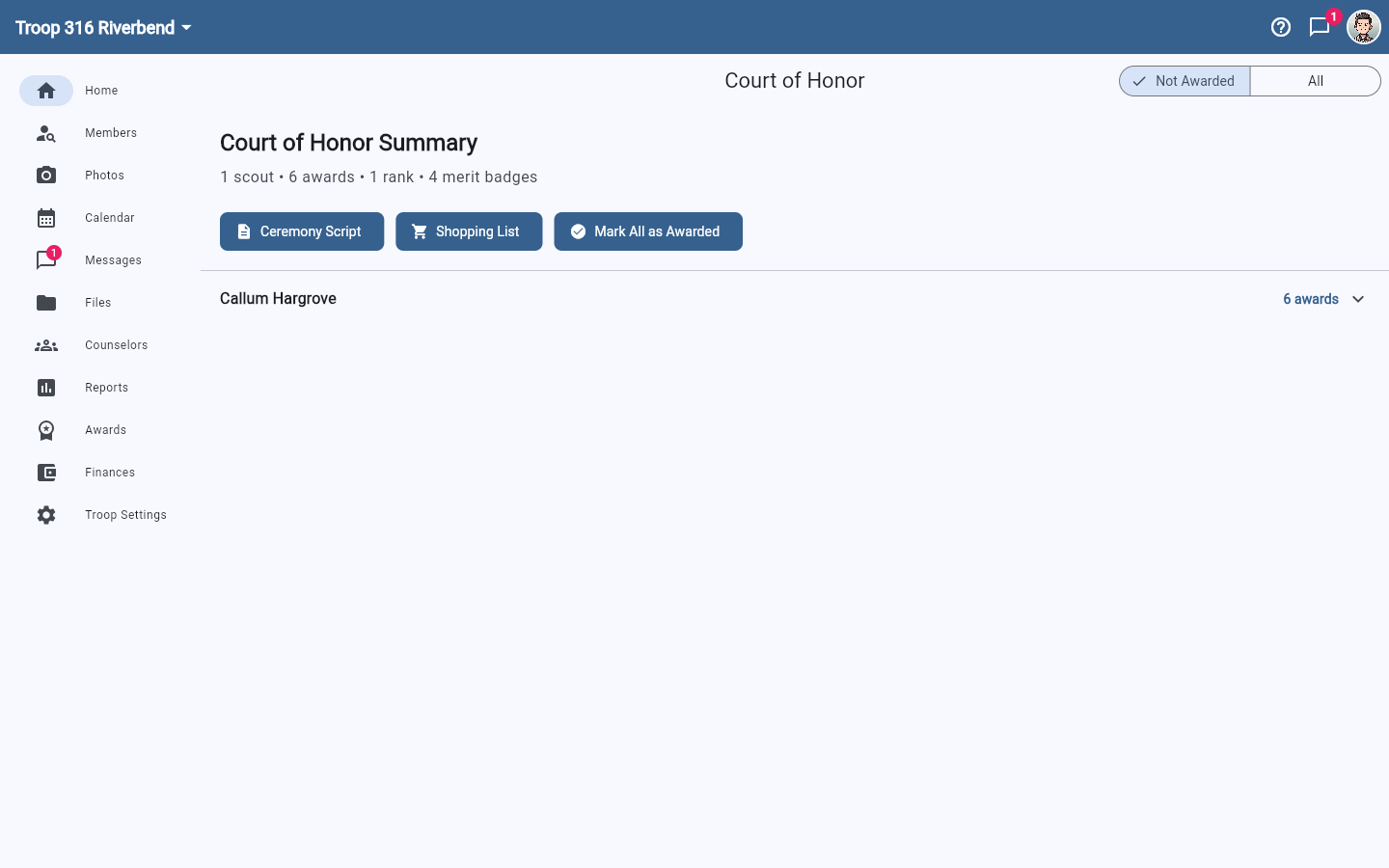
Three buttons do the work:
- Ceremony Script — a running order you can read from, with every Scout and award in sequence.
- Shopping List — what to buy at the Scout shop, so nobody has to reverse-engineer it from the script.
- Mark as Awarded — after the ceremony, clears the whole backlog in one tap.
Mark as awarded afterwards, not before
Mark as Awarded moves everything currently listed out of the "not awarded" backlog. Run it once the ceremony is over. If you tap it while planning, the next ceremony list will look empty and you will have to switch to All to find anything.