 Troop Campfire
Most of the questions a committee asks at the monthly meeting — who is close to ranking up, who has not turned in a health form, who is actually showing up — have a report behind them. They all live in one place.
Open Reports
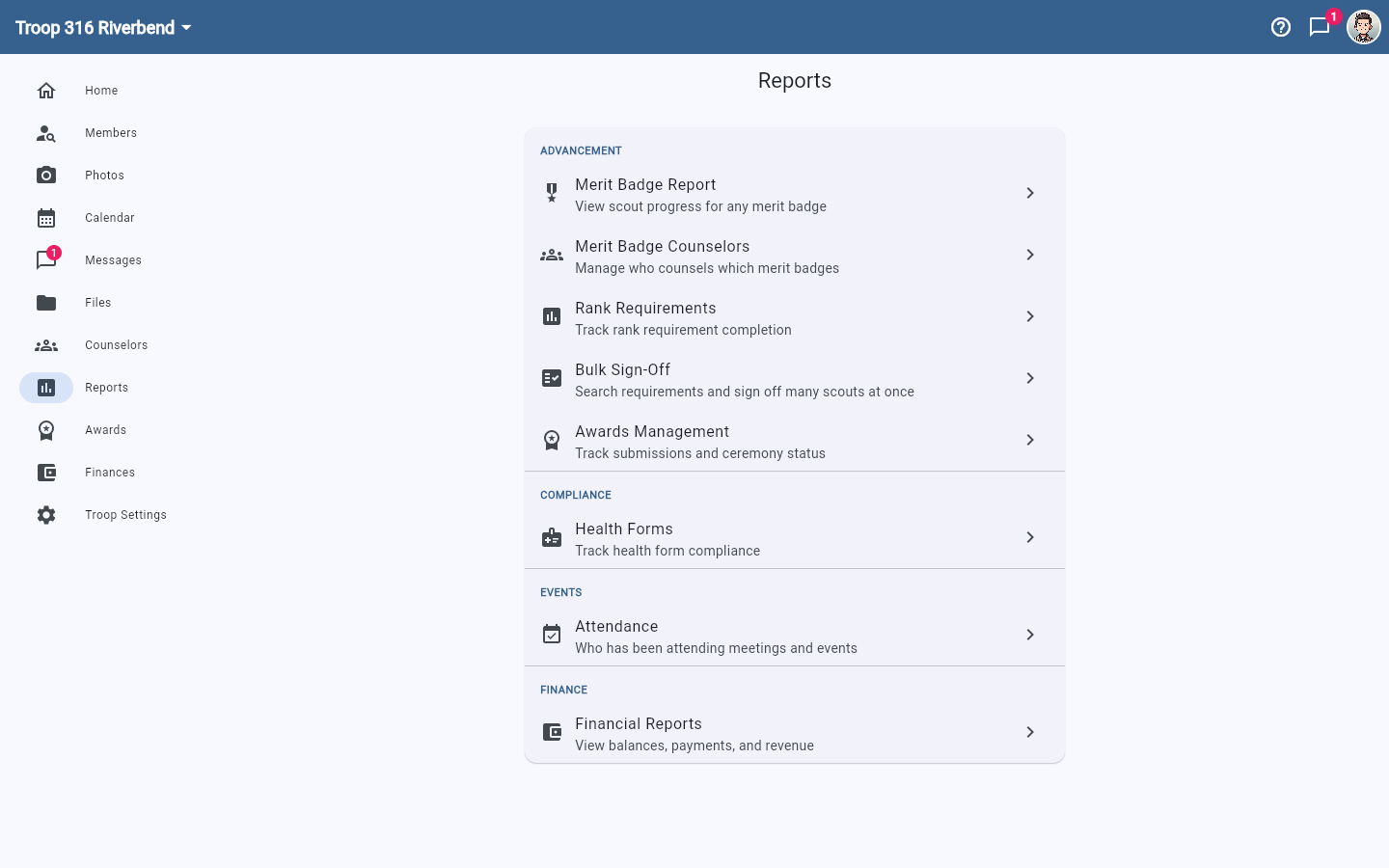
Tap Reports in the navigation. The page is grouped into Advancement, Compliance, Events, and Finance.
What each report answers
- Merit Badge Report — scout progress for any single merit badge. Good for spotting who is one requirement short.
- Merit Badge Counselors — who counsels which badges. See Merit badge counselors.
- Rank Requirements — rank requirement completion across the unit.
- Bulk Sign-Off — sign off the same requirement for many Scouts at once. See Bulk sign off rank and merit badge requirements.
- Awards Management — what has been earned, what has been bought, and what has been presented. Troops, crews, and ships only. A Cub pack does not show this tile; use More → Pack Awards instead. See Awards and Courts of Honor.
- Health Forms — who has a current form on file. See Track health forms.
- Attendance — who has been coming to meetings and events.
- Financial Reports — balances, payments, and revenue.
Reports follow your permissions
The Reports navigation entry only appears if your role can see it, and individual tiles are gated too — Health Forms only shows when the feature is turned on for your unit, and Financial Reports needs finance permission. If a tile you expect is missing, ask a unit admin to check your role.