 Troop Campfire
Families miss events because troop dates live in an app they check occasionally, next to a family calendar they check constantly. Subscribing puts troop events in the calendar they already look at, and keeps them up to date automatically.
Get your calendar link
- Open Calendar.
- Tap Subscribe in the top right.
- Tap Copy Link — or Share to send it to yourself or to a parent.
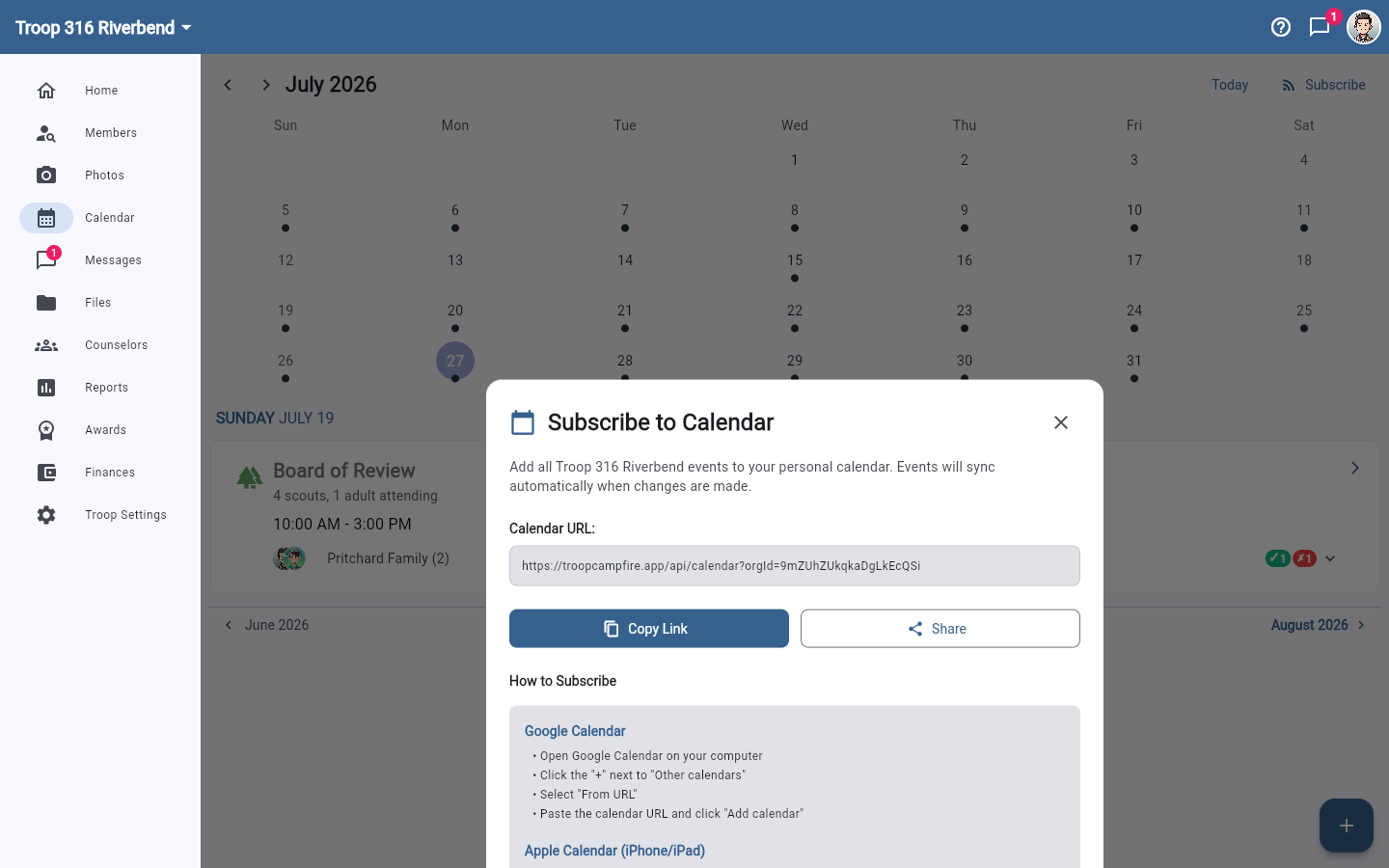
Add it to your calendar app
- Google Calendar — on a computer, click the + next to Other calendars, choose From URL, paste the link, and click Add calendar.
- Apple Calendar (iPhone/iPad) — go to Settings → Calendar → Accounts, tap Add Account → Other, choose Add Subscribed Calendar, paste the link, and tap Next.
- Outlook — open Outlook Calendar, click Add Calendar → Subscribe from web, paste the link, and click Import.
Events sync automatically after that. When you add, move, or cancel an event in Campfire, subscribed calendars pick the change up on their own schedule — usually within a few hours, depending on the calendar app.
Worth doing once at every join
This is the single highest-value thing to ask a new family to do during onboarding. It takes two minutes, and it does more for attendance than any number of reminder emails.