 Troop Campfire
New Scouts and parents join your troop using your troop's Access Code. There are two ways to share it.
Option 1 — Email it to many people at once
Use this when you have a list of new families to onboard.
- Tap Account Settings (top right of the app).
- Tap Organization.
- Tap Troop Information.
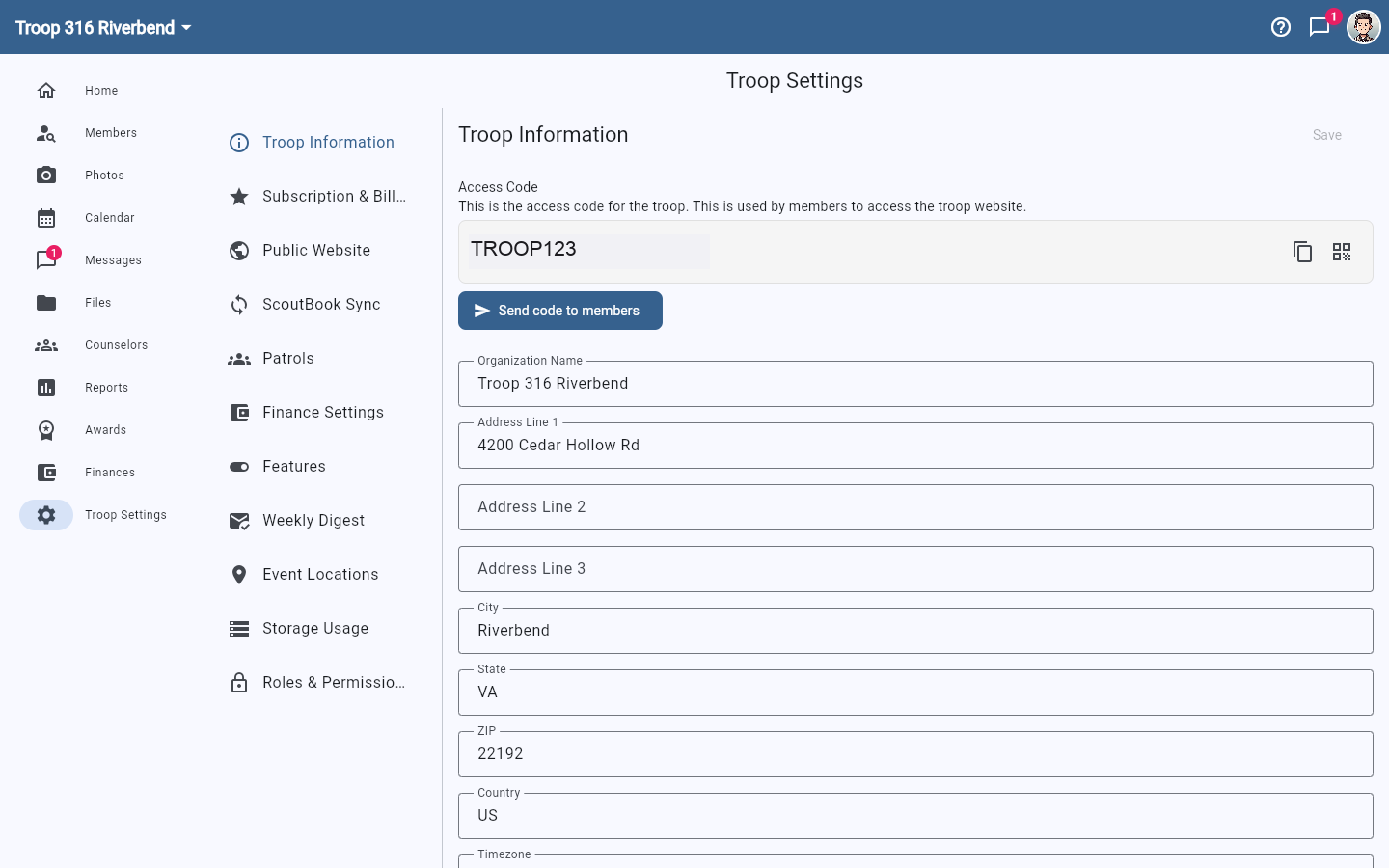
- Under your troop's Access Code, tap Send code to members.
- On the Send Access Code page, tick the unclaimed members you want to invite (the list shows everyone with an email but no Campfire account yet) and/or paste additional email addresses for people who aren't on your roster yet. One send covers up to 500 addresses, so most units can do their whole roster in one pass. If an address appears twice, it still only gets one invitation.
- Optionally add a Personal Note that goes into every invitation.
- Tap Send Invitations. Each recipient receives an email with the access code and a link to sign up.
Option 2 — Share the access code directly
Use this for in-person sign-ups, sharing in a flyer, or word-of-mouth.
- Tap Account Settings → Organization → Troop Information.
- Copy your Access Code from the field at the top — there's a copy button beside it, and a Share QR Code button next to that which is handy for a recruiting night or a flyer.
- Share it however you like. New families enter the code on the Campfire sign-up page to join your troop.
One code for the whole unit
Your troop has a single shared access code rather than one invitation per person, so anyone who has it can join. Share it where you'd be comfortable with the whole audience joining, and prefer Send code to members when you're onboarding a specific list of families.
Watch for duplicates
If a family already had a Campfire account from a different troop and you imported them via Scoutbook, you may end up with duplicates — see Merge duplicate members to clean those up.